
I bought a Polar H10 when I started training in boxing. It's a very good chest strap, and it measures a lot more than your heart rate: every single beat, the gap between beats, even an ECG. But the phone app showed me only a small part of that, and the phone itself spent most of each session face down on a bench.
So I started building my own companion app, mostly to see what the strap could really tell me. Then YOS-ESP came to life, and it occurred to me that I'm probably not the only one. There must be plenty of people with an H10 in a drawer or a gym bag, wondering how to get more out of it.
That's how Polar H10 Companion became an app in the store. It puts everything the strap measures on a big screen you can see while you train. It talks to the strap over Bluetooth.
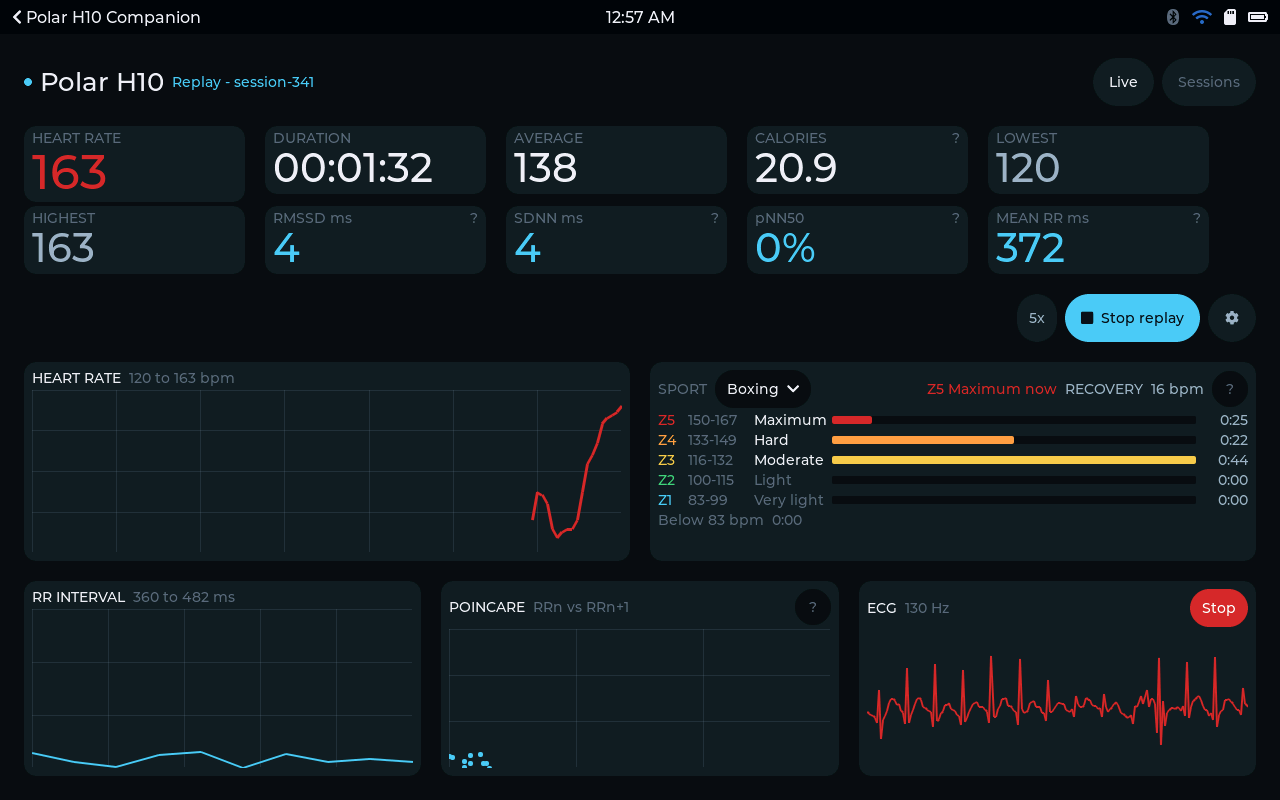
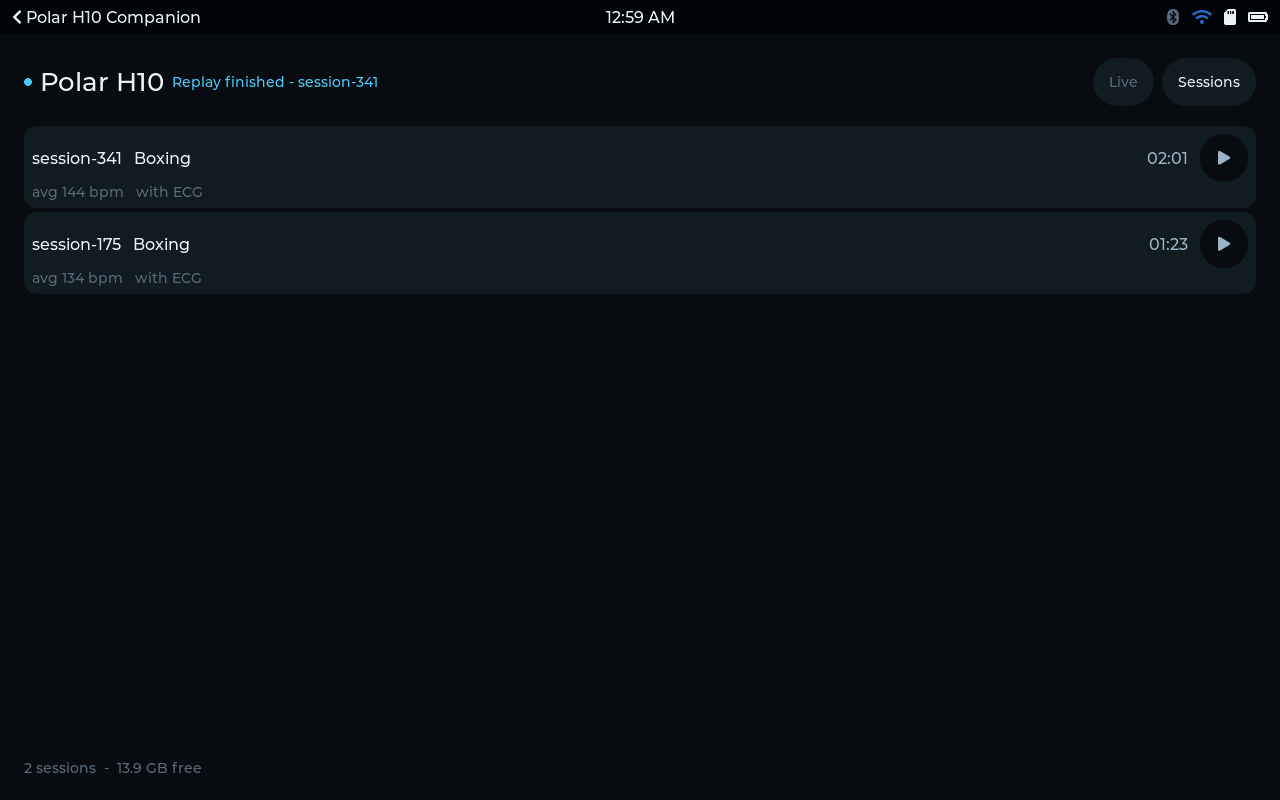
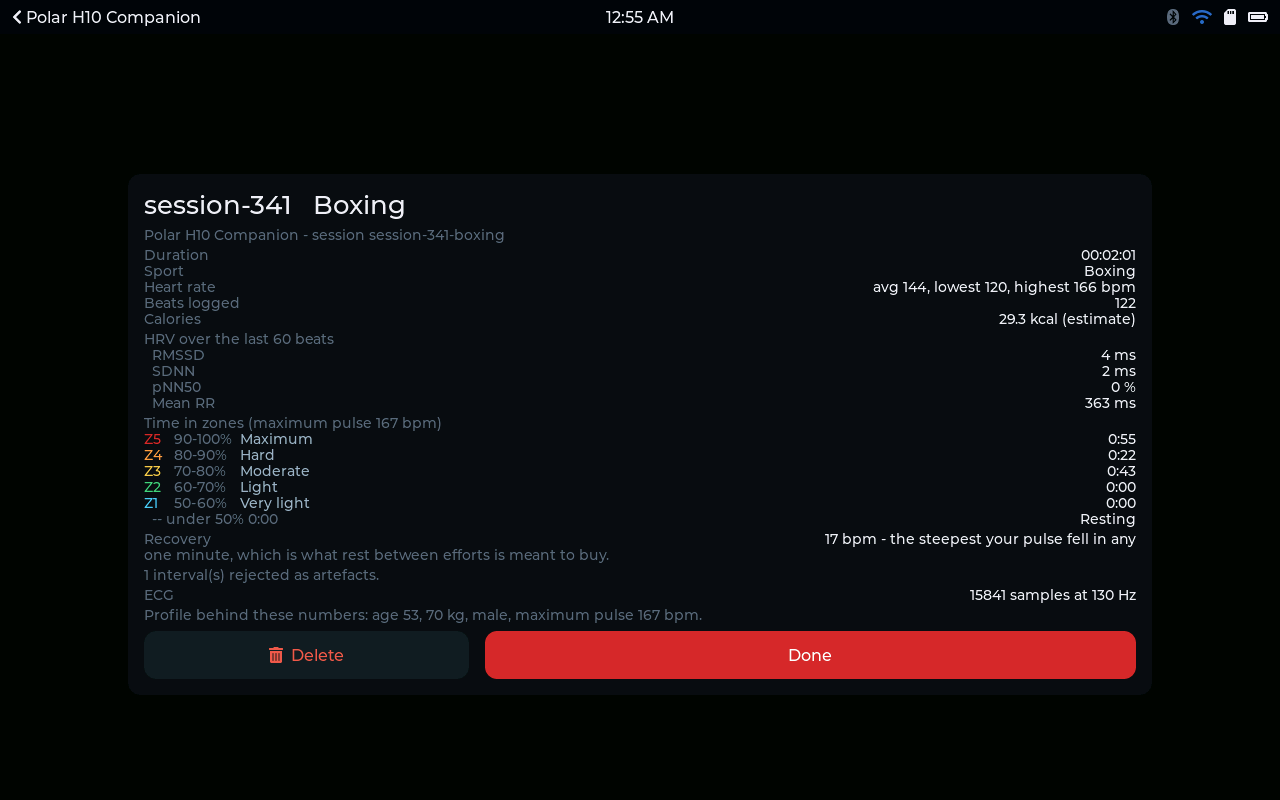
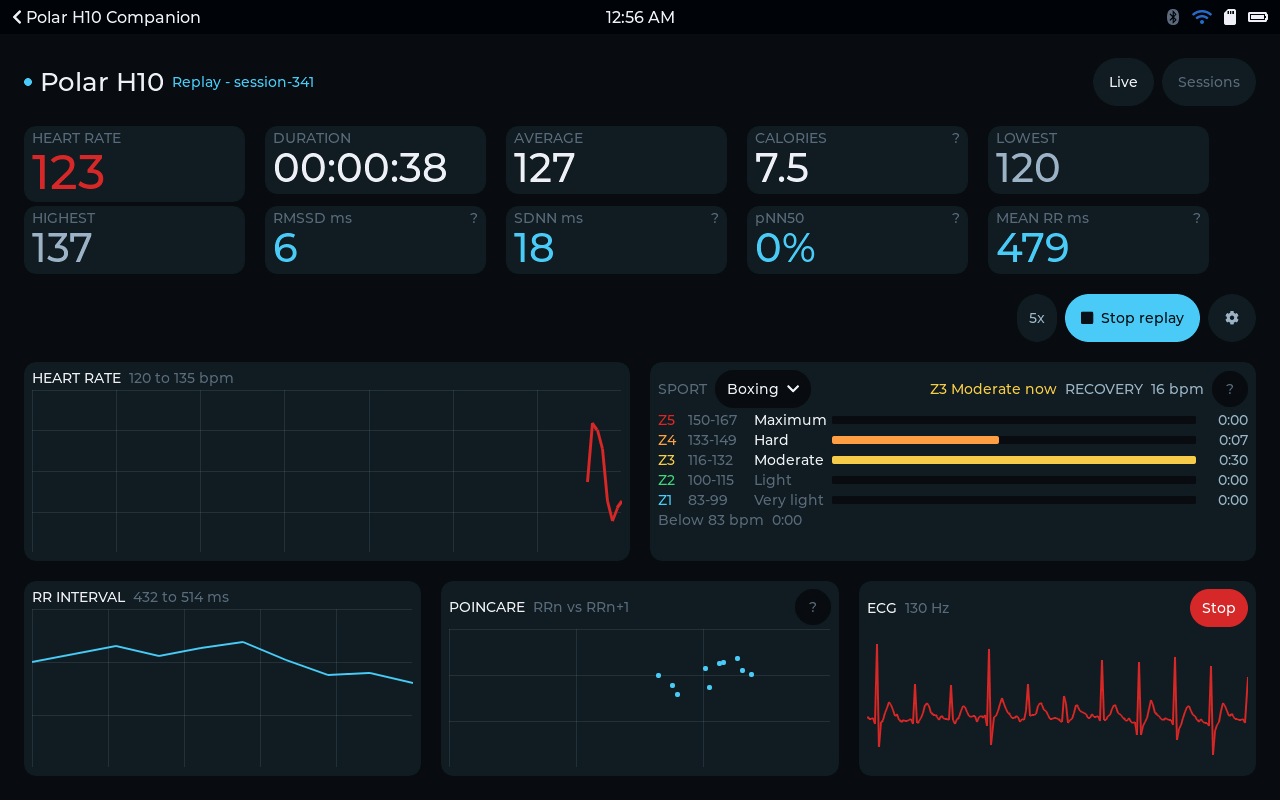
What's on the screen
You pair the strap once, under Network. After that the device finds it by itself every time you put it on.
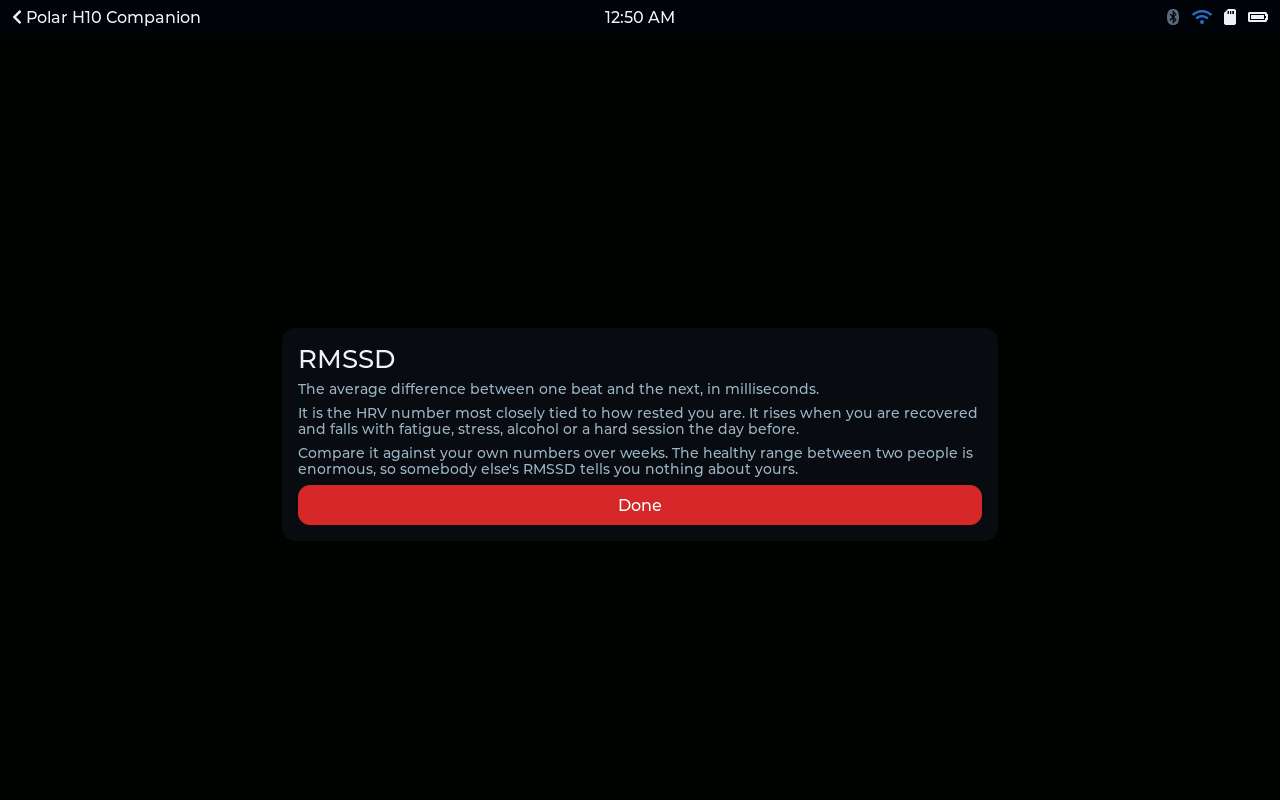
The main screen shows your heart rate right now, with skin contact and the strap's battery level next to it. You also see the session so far and a rough calorie estimate. Then there are the numbers behind how rested you are: RMSSD, SDNN, pNN50 and mean RR. Those are the beat-to-beat measures that heart-rate-variability tools use. Below them, three charts sit side by side: heart rate over time, the gap between beats, and a Poincare plot.
I know those abbreviations don't mean much to most people. So every number has a little question mark next to it. Tap it and the device explains what the number measures, what tends to move it, and what you shouldn't read into it.
Zones you can read mid-set
Before you start, you choose your sport. There are nine indoor ones, from walking up to boxing. The app reads your session against the zones that sport is usually done in.
Zones are shown in beats per minute rather than percentages. Nobody wants to do mental arithmetic halfway through a hard interval.
If you train in rounds or sets, the app also shows how far your pulse dropped in a minute of rest. That's the number your rest is supposed to buy you, and watching it is oddly motivating.
When you hit your maximum pulse, the device plays a sound. It plays once, and not again until you've come back down. It's meant to warn you, not to nag.
The ECG
The H10 can also send a single-lead ECG, at 130 samples a second, and the app will show it live. It's off by default because it's the heaviest thing the strap sends, but it's one tap away.
Every session is kept
You press Start and Finish yourself. I did that on purpose, so the warm-up, the walk to the treadmill and the actual work don't blur into one long hour.
Each session goes onto the memory card. That includes every beat with the interval that followed it, a summary written for a person to read rather than a program, and the ECG trace if you had it on. Recordings are stored outside the app's own folder, so updating or even uninstalling the app can't take them with it.
You can play any session back on the device at 1x, 5x or 20x. It fills the screen just like it did on the day. Playback uses the settings you had on the day too, so the zones still line up with what was recorded, even if you've changed your profile since.
Your data is yours
Sessions export two ways. EDF files open directly in EDFbrowser, MNE-Python and pyEDFlib. Plain RR-interval files are what Kubios and most other HRV software expect.
There's no account to create and no cloud upload you didn't ask for. The data goes from the strap to your device to your memory card, and stops there.
And on the home screen
The home screen tile shows how your last session went. I didn't want it showing a heart rate from three hours ago, which would be worse than showing nothing.
Trying it
You'll need a board with a memory card slot. The app's store page lists the boards it runs on. There's a trial, so you can pair your own strap and watch it work before you spend anything.
Not made by Polar. Polar H10 Companion is an independent app that works with the Polar H10 chest strap. It is not created by, endorsed by, or connected with Polar Electro Oy. Polar and H10 are trademarks of Polar Electro Oy, used here only to say what the app works with.
In the store Polar H10 Companion Live heart rate, HRV, training zones and single-lead ECG from a Polar chest strap. Record every session, play it back, and take the data with you. See it in the store
Comments
0No comments yet. Start the conversation.